Ori Eval: Find the Best Model for What You're Building
Jacky Liang ·
As more and more apps add AI functionality, the choice of which model to use for what you’re building remains just as hard, if not harder, with over 500 models you can choose from.
In practice, that choice is often made without a systematic method: a recommendation from social media, a benchmark leaderboard, or a general sense that one model is currently the strongest.
These resources are genuinely useful, but each has the same limit. A benchmark measures a fixed task set, and a recommendation reflects someone else’s application. Neither can tell you how a model behaves in your app, on your harness, on your data, and on your prompts.
Meanwhile new models ship every week, and the cost of re-evaluating them by hand is high enough that many teams delay the decision, or keep a model that no longer fits.
At OpenRouter, we know a thing or two about models.
What we’ve learned is that there is no definitive best model - only the best model for what you’re building.
Ori Eval helps you find that single model, and prove it to you.
To get started, tell your agent:
run curl -fsSL https://openrouter.ai/skills/spawn-ori-eval and follow the instructions in its output to get startedOri Eval will walk you through how to choose the best model for what you’re building like a friendly and experienced engineering friend - no eval experience needed.
Tl;dr
- Ori Eval runs your agent on your own prompts, asserts on the tools it called, and grades open-ended answers with an LLM judge.
- Ori pins the harness and the model during a run. The environment stays the same, so if an eval result changed, you know that the change can only be attributed to a change in the model.
- Ori Eval routes through OpenRouter, so model comparisons cover every model and lab.
- You don’t need to know how to write an eval. Ori Eval finds every place your code calls a model, asks what matters to you, and writes the eval files.
- An eval file is code. Run it in CI to block a regression, and re-run it when a new model comes out.
- To start, tell your coding agent:
run curl -fsSL https://openrouter.ai/skills/spawn-ori-eval and follow the instructions in its output to get started.
Ask a question, get an answer (with proof)
To use Ori Eval, you can simply tell your favorite coding agent:
run curl -fsSL https://openrouter.ai/skills/spawn-ori-eval and follow the instructions in its output
Your agent hands the request to Ori Eval. Ori Eval explores your codebase, and it comes back with questions. Before it runs any evaluations, it works with you to help figure out what’s important to you — is it cost, performance, latency, speed, tool call accuracy, etc. It then chooses the 5 latest models that fit your requirement, and confirms with you.
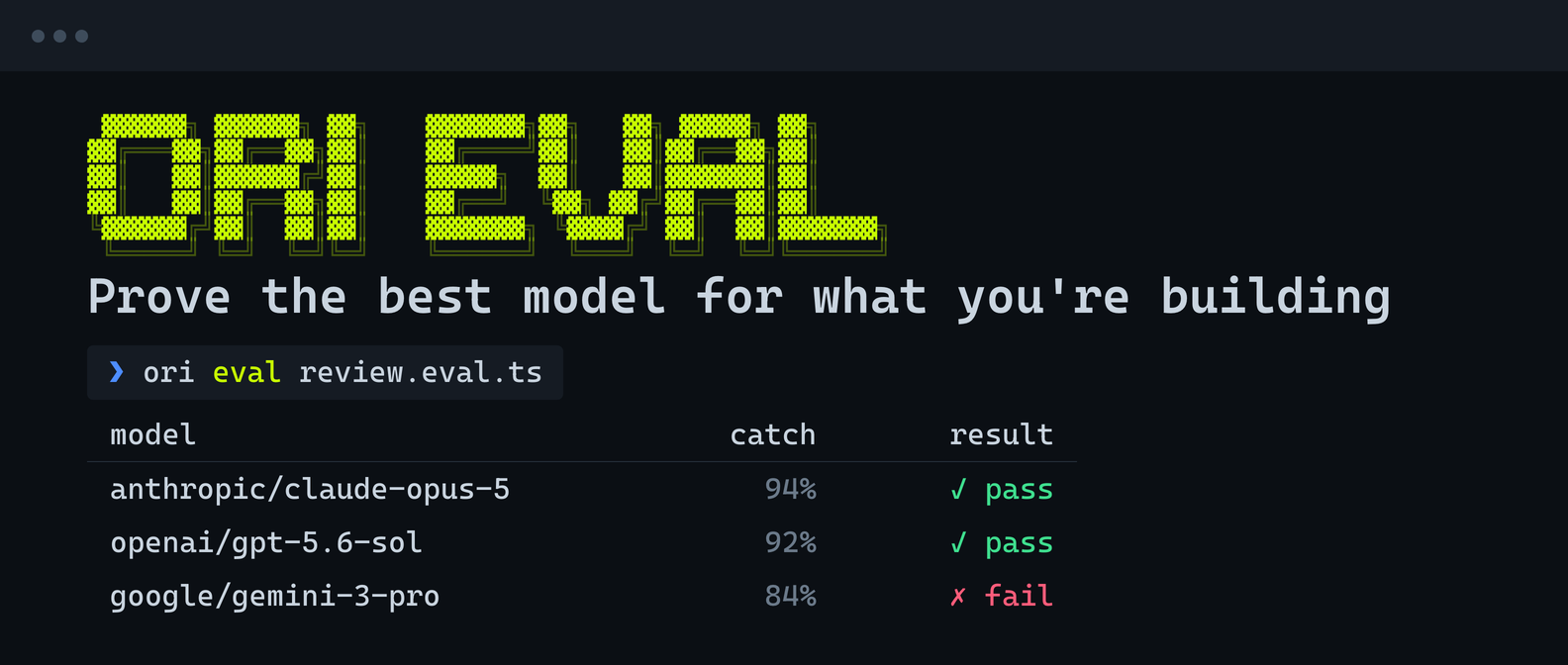
Once all these necessary requirements have been gathered, Ori Eval writes a review.eval.ts file, runs your agent against the candidate models in parallel, and returns a table:
| model | catch | p50 | $/PR | result |
|---|---|---|---|---|
| anthropic/claude-opus-5 | 94% | 38s | $0.041 | pass |
| openai/gpt-5.6-sol | 92% | 44s | $0.038 | pass |
| moonshotai/kimi-k3 | 90% | 31s | $0.019 | pass |
| z-ai/glm-5.2 | 86% | 26s | $0.008 | pass |
| google/gemini-3-pro | 84% | 52s | $0.062 | fail (cost) |
The recommendation comes with the reason: let’s say, the top bug catch rate inside your model cost criteria, and the value pick if bug review volume grows.
Don’t worry if you’ve never written an eval before
Writing good evals is not easy, that’s why we handle the annoying part for you.
Ori Eval scans your codebase for every place a model runs, and shows you what it found: the use case surface, the exact file, and the model you use there right now. It then asks where you want the eval to cover, and what matters most to you: accuracy, speed, cost, or something else?
Once Ori Eval is done interviewing you, it writes the eval file from your answers, and runs it.
It’s that easy.
Consistent scores, run after run
Because Ori Eval is an agent, it can pin the harness, the model, and the effort for the duration of a run. It also comes pre-tuned: we’ve already chosen the harness and the model that work best for eval work, so you don’t have to.
An eval checks three things
An eval file is a *.eval.ts file that runs with bun test. It checks the tools the agent called, the tools it avoided, and the quality of the answer:
const run = await agent.run("dinner in Lisbon?");
run.tool("search").toBeCalled();
run.tool("delete_file").toNotBeCalled();
run.toComplete();
For open-ended answers, an LLM-as-a-judge grades the output. Ori Eval helps you set the grading criteria and the minimum score, so even tricky open-ended questions can be evaluated.
Every bug becomes something you can test against
Tell Ori Eval about a bug in plain words: let’s say, a support agent is issuing refunds without even checking the order first — a pretty big problem.
Ori Eval writes an eval that asserts lookup_order gets called. The eval fails proving that the bug exists. You then fix the agent, and the eval passes. The assertion stays in your test suite, so you’ll always be able to catch it.
Block regressions, and re-run when the field moves
Add ori eval to a GitHub Actions workflow. It exits like bun test, so failed evals also fails the build, and a regression never reaches prod.
Since what Ori Eval writes is just code, you can also easily schedule them to run every so often. One of our early beta testers now runs model comparisons monthly. When a new model drops and it performs better than the existing model in your code base, a PR gets opened, and all you have to do is merge it and experience all the benefits without you even thinking about it.
Get started
Tell your coding agent:
run curl -fsSL https://openrouter.ai/skills/spawn-ori-eval and follow the instructions in its output to get startedThat’s it.
The skill installs Ori (our pre-tuned coding agent), asks you to sign in, interviews you, and runs the eval. If you use the OpenRouter MCP server, run /spawn-ori-eval instead, and skip the URL.
To install Ori by hand:
curl -fsSL https://openrouter.ai/labs/ori/install.sh | bashThen run ori login. Running evals also needs Bun.
Read more on the Ori Eval page or the Ori Eval docs.